

Copy the client-facing endpoints
Open a registration in Agents → Agent Catalog and copy its Gateway endpoints.
An A2A client can discover the available interfaces from the gateway’s served card. The upstream card determines the agent-facing interfaces. Bifrost can bridge any of these transports; your agent does not need to expose the same transport as your client.
The upstream card’s eligible interface order determines the initial choice. See transport selection and recovery for preference, failover, card refresh, and the cases where Bifrost deliberately does not replay a request.
The gateway accepts A2A v1. An explicitly incompatible
A2A-Version is rejected. Let an A2A v1 SDK negotiate the wire format, or use the v1 method and field names in the registration example.
Set the public base URL
Set External Client URL before configuring push notifications. Bifrost uses this base URL to build the callback address that upstream agents send updates to. Without it, push notifications are disabled and push-configuration requests fail. Use an address the agents can reach. This URL also sets the public address advertised in served agent cards, including when Bifrost runs behind a proxy.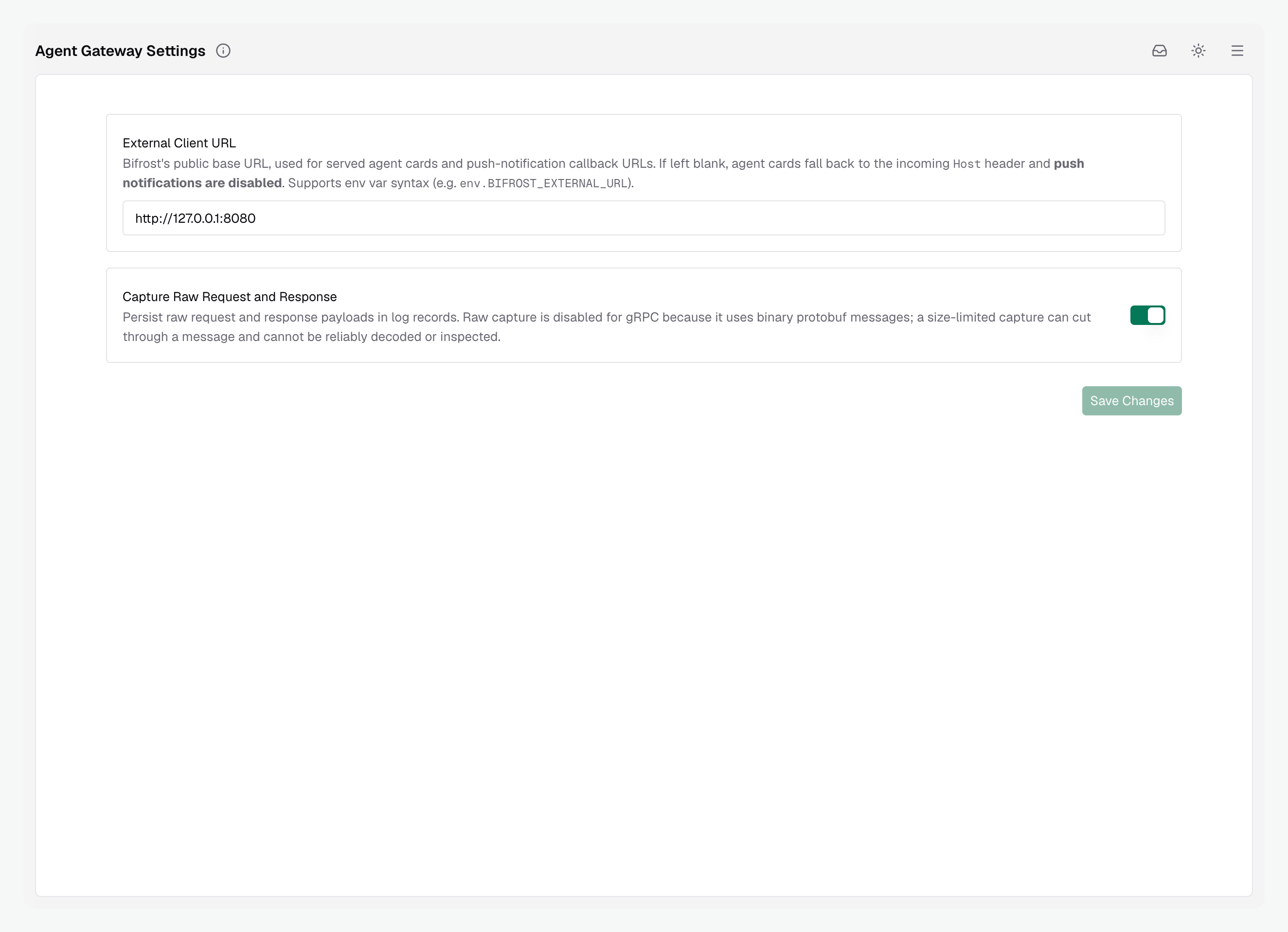
- Web UI
- config.json
- Helm
Open Agents → Agent Settings, set External Client URL, and select Save Changes. Use a base URL such as
https://bifrost.example.com, not an individual agent’s route.Push callback routing
When you register a callback through Bifrost, the agent sends updates to Bifrost, which delivers them to your application’s callback. Bifrost constructs the agent’s callback URL as<base-url>/agents/a2a/<agent-name>/push/callback. Allow the upstream agent to reach this route through your proxy or ingress.
For example, a research agent can notify your application’s /callbacks/research endpoint when a report is ready. The agent receives Bifrost’s callback URL, and Bifrost forwards the updates to /callbacks/research. This keeps push notifications and delivery attempts observable through the gateway.
Once the gateway is configured, follow Push notifications to register your application’s callback.
Enable gRPC
Enable the shared gRPC listener when clients need to call agents through Bifrost using the A2A gRPC transport. HTTP requests identify the agent in the URL path. A2A gRPC clients call the same service methods for every agent, so the method path cannot identify which registration to use. Bifrost solves this by giving each agent its own hostname on a shared listener. The client’s HTTP/2:authority contains the hostname it dialed, and Bifrost uses that hostname to select the agent. No custom routing metadata is required.
Configure the base domain and public port in config.json or Helm. These settings create the listener and determine the gRPC endpoints advertised in agent cards. Bifrost reads them at startup, so they are not editable in Agent Settings and changes require a restart. Helm writes the same server settings into the generated config.json.
- config.json
- Helm
*.a2a.example.com to point at the gateway’s gRPC entry point. The hostname’s first label identifies the registration, for example library-research.
With the configuration above, the served agent cards advertise these endpoints:
Both hostnames reach the same gateway listener. Have your A2A client use the selected agent’s advertised gRPC endpoint. Bifrost routes the call to that registration and forwards it using the agent’s configured upstream transport. Dialing only
a2a.example.com:443 does not identify an agent.
The shared listener uses plaintext gRPC. Terminate TLS at your ingress or load balancer for public deployments and forward to the listener over your protected network. Preserve the agent-specific authority when proxying. Sending every request with a generic authority loses the registration name.
When the public port differs from the local bind port, set BIFROST_A2A_GRPC_LISTEN_PORT. The example advertises port 443 but binds locally on 9095. Restart Bifrost after changing deployment settings.
Minimal Kubernetes Service for the gRPC listener
Minimal Kubernetes Service for the gRPC listener
Use your deployment’s actual pod selector. This example assumes a release named Route the wildcard public hostname to this Service through a gRPC-capable ingress or load balancer. This Service alone does not configure TLS or public exposure.
bifrost.Capture raw HTTP payloads
Raw capture is off by default. Enable Capture Raw Request and Response in Agents → Agent Settings, or set:bifrost.client.a2aStoreRawRequestResponse is not a supported chart value.
See raw capture and timing for how to read captured payloads.