

Overview
Custom Regex is a Bifrost Enterprise guardrail provider that evaluates request and response text against regex patterns you define. It is useful when you need a simple, local policy check without calling an external guardrail provider. Common uses include blocking organization-specific IDs, internal project names, environment-specific secrets, and PII-like text patterns.Custom Regex runs in-process and uses Go’s RE2-compatible regexp engine. It does not support lookaheads, lookbehinds, or backreferences. Server-side RE2 validation is authoritative.
How It Works
- You create a guardrail provider with
provider_name: "regex". - You add one or more regex patterns.
- You attach that provider to a guardrail rule.
- The rule decides when to run the provider and whether to scan
input,output, orboth. - If a pattern matches, Bifrost applies that pattern’s
action: detect only, block, or redact.
Streaming output: Delivery depends on whether the matched patterns detect, redact, or can block. See Streaming Output Guardrails for details.
Pattern Fields
The Web UI exposes these flag choices:
PII Detection Template
The Web UI includes a PII Detection template under Add Pattern. It pre-fills a Custom Regex configuration with common PII-like patterns:
The exact template patterns are shown in the
config.json and Helm examples below.
Allowed Values
Use Allowed values when a pattern is right in general but should skip specific known-safe strings, such as your company’s support email in an email-redaction pattern.- A match is skipped only when the entire matched text equals one of the allowed values, ignoring case. Substrings do not count: an allowed value of
support@acme.comskips a match of exactlysupport@acme.comorSupport@Acme.com, but notnosupport@acme.com. - A pattern that captures surrounding context (for example
email: x@y.com) is compared as a whole, so the bare value does not exempt it. Write patterns so they match only the value you want to allow. - Allowed values apply to every
action:detect_only,block, andredact. Other matches from the same pattern are still handled normally. - In the Web UI, enter one value per line. Values are trimmed, lowercased, and de-duplicated on save. Commas are kept as part of a value.
- Allowed values belong to a single pattern. Other patterns in the same configuration are unaffected.
Redaction
Set a pattern’saction to redact when matching text should be rewritten instead of blocked. Custom Regex supports all Bifrost-managed redaction modes:
runtimeredacts the live request or response and stores the redacted value in logs.logs_onlyleaves runtime content raw but redacts Bifrost logs and trace-export connector content.runtime_reversibleredacts runtime content and logs with reversible placeholders.
Configuration
- Web UI
- API
- config.json
- Helm
- Go to Guardrails > Providers.
- Select Custom Regex.
- Click Add Configuration.
- Set a descriptive Name, for example
pii-detection. - Click Add Pattern.
- Choose either Custom regexp or PII Detection.
- Optionally, under Allowed values, list values the pattern should ignore, one per line.
- Enable the configuration and save it.
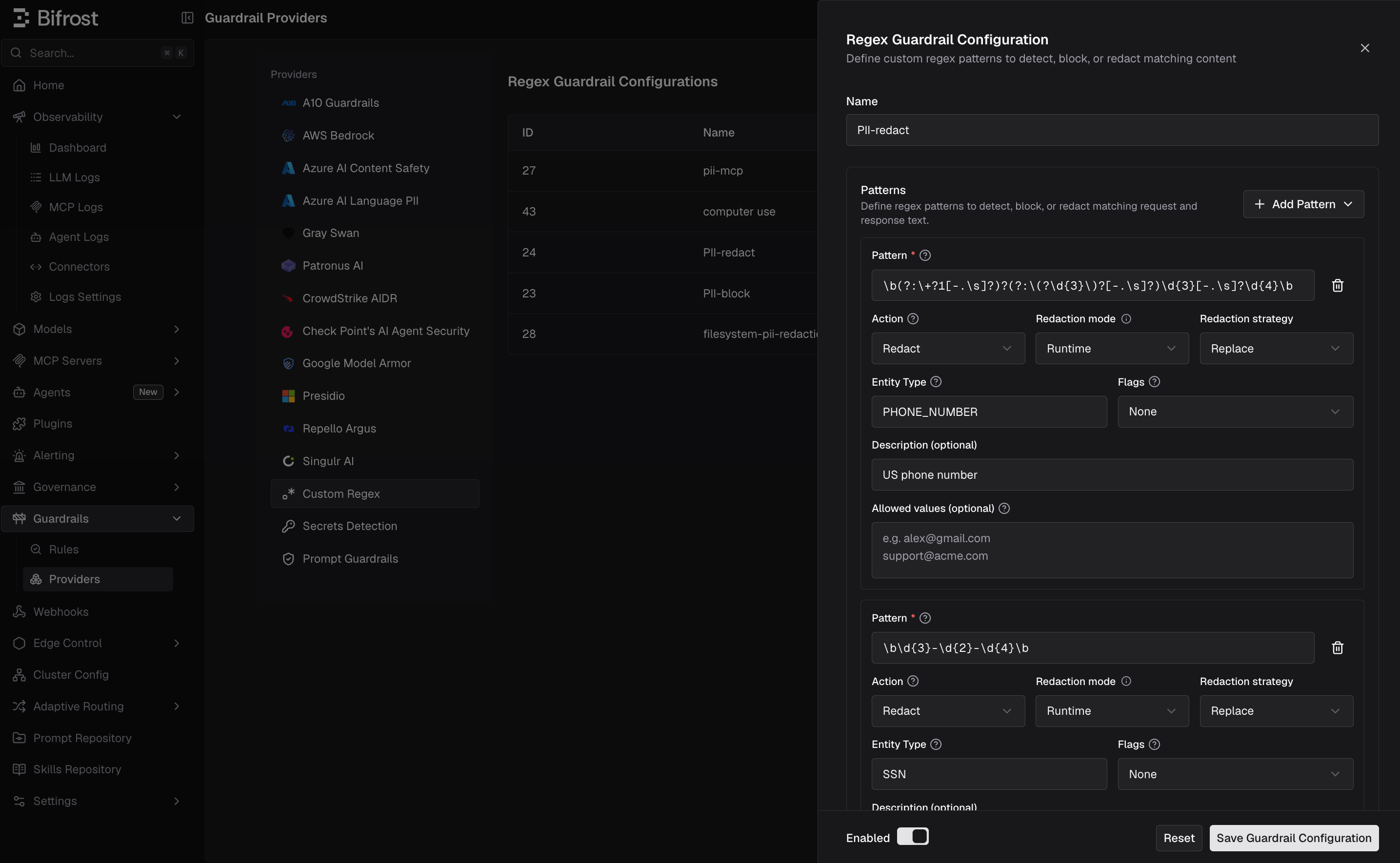
- Attach the configuration to a guardrail rule under Guardrails > Configuration.
When To Use Custom Regex
Use Custom Regex when:- You need transparent, deterministic matching.
- You want to block a known organization-specific identifier or data format.
- You want the built-in PII Detection template.
- You need a local guardrail with no external service dependency.